Free QR Codes

Google Maps QR Code Generator

One scan opens your pin in Google Maps — directions, hours, the listing. Free, branded, print-ready.

QRQR Code AgentFree QR Code Generator
Content / URLAny link — UTM tags optional
https://buy.stripe.com/cNi9AU4zI3w31Fw2KudUY0146 chars · comfortable
Patterns
Corners
Colors
RecoveryError correction bakes in redundant data so the code still scans when part of it is dirty, damaged or covered. Higher levels recover more but pack denser dots — pick Q or H when you add a center logo.
Size
Color
Live preview
Buy me a coffee

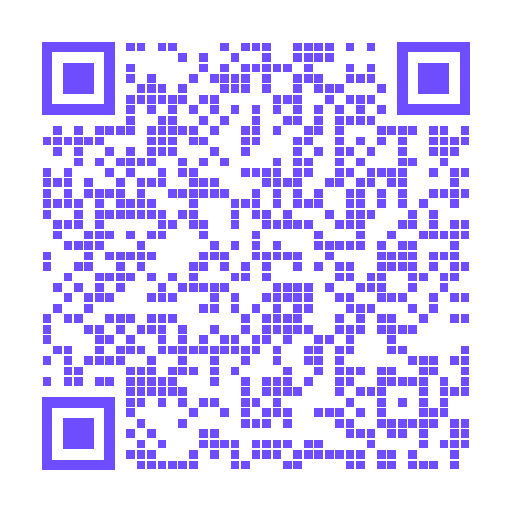
QR code for link to https://buy.stripe.com/cNi9AU4zI3w31Fw2KudUY01. 512 by 512 px, error correction Q, scannable.

512 × 512 pxECC · QURLFRAME · BANNER BELOW✓ Scannable
Size
512 px
Best for screens and print-ready art
Did this give you the code you wanted?
Free foreverno sign-upNo watermarkclean outputUnlimited codesno daily capIn your browsernothing uploaded

A Google Maps QR code opens a place, a dropped pin, or turn-by-turn directions in the Maps app — nobody has to type an address. Share the listing from Google Maps, paste the link here, brand the code, and print it on a window, a card, or a poster. Free, built in your browser, and the destination sits in the image so it never expires.

Updated August 2026

Sample Google Maps QR code generated with QR Code Agent
A sample Maps code from this generator. Scan it to open Times Square in Google Maps — then paste your own share link above and download yours.

Where to use Google Maps QR codes

  • Shop windows and door signs — passers-by get walking directions without asking staff
  • Business cards — one scan drops the office pin into their Maps app
  • Event posters and invites — the venue pin, not a street address to mistype
  • Real estate yard signs — listing location from the sidewalk
  • Wedding and party stationery — parking, the hall, the after-party
  • Trade-show booths — a stand number plus a pin that actually finds you

How to make a Google Maps QR code

1

Copy the Maps share link

Open the place in Google Maps, tap Share, and copy the link. A maps.app.goo.gl or maps.google.com link both work.

2

Paste it and style the code

Drop the URL in, then set colors, dots, and an optional logo.

3

Test, then download

Scan it on an iPhone and an Android phone, then export PNG or SVG.

Why it works

Opens in Maps

A scan launches Google Maps with the pin already set — no address to mistype.

Any place or pin

A business listing, a dropped pin, a parking lot, or a trailhead all work the same way.

Print-ready

SVG stays sharp on window vinyl, posters, and yard signs.

Free and permanent

No account, no watermark, no expiry.

Tips and best practices

  • Copy the link from the Share sheet in Google Maps, not by typing the street address into the generator
  • Label the printed code "Scan for directions" so people know what it does
  • Test that a scan opens Maps on both iPhone and Android before you print a batch
  • Prefer a place listing or a dropped pin you control — a search-result URL can shift
  • Use SVG for window vinyl and posters; PNG is enough on a business card
Other free QR code generators
Related guides

Google Maps QR Code Generator FAQ

How do I get a Google Maps link for the QR code?
Open the place in Google Maps, tap Share, and copy the link. Paste that URL here. Do not type the street address into the generator — the share link is what opens the right pin.
Does the scan open the Google Maps app?
On phones with Google Maps installed, yes. On iPhone it opens Maps or asks which maps app to use. People without the app still get the location in the mobile browser.
Can I drop a pin that is not a business listing?
Yes. Long-press the map to drop a pin, share that pin, and paste the link. Useful for parking, trailheads, and pop-up locations that have no listing yet.
Can I change the location after printing?
No. These are static codes, so the URL is fixed once you download. Point it at a Google Maps place you control if the pin might move.
Is it free?
Yes — unlimited Google Maps QR codes, no account, no watermark.
Will it work if someone does not have Google Maps?
Yes. The share link still opens in a browser. On iPhone it may offer Apple Maps as well, depending on the person's default.

Got your code? ☕ Buy me a coffee — it keeps this tool free for everyone.